Elevation
Shadows are a fundamental part of visual design systems. In Halstack, we use them, along with colors, to create depth and layering on the interface. They help users distinguish between surfaces, understand component hierarchy, and focus their attention on key elements.
By simulating how light interacts with objects, shadows reinforce a clear spatial structure in digital interfaces, much like in the physical world. Whether it's emphasizing a modal over a background or giving subtle prominence to a card, elevation contributes both aesthetically and functionally to the user experience.
Halstack provides a set of predefined shadow tokens optimized for clarity and performance across our products. Each token corresponds to a specific elevation level with calibrated values for offset, blur, and color transparency.
| Token | X position | Y position | Blur | Spread | color |
|---|---|---|---|---|---|
shadow-100 | 0px | 2px | 2px | 0px | color-grey-400-a |
shadow-200 | 0px | 12px | 12px | 0px | color-grey-300-a |
shadow-300 | 0px | 24px | 24px | 0px | color-grey-300-a |
shadow-400 | 0px | 48px | 48px | 0px | color-grey-300-a |
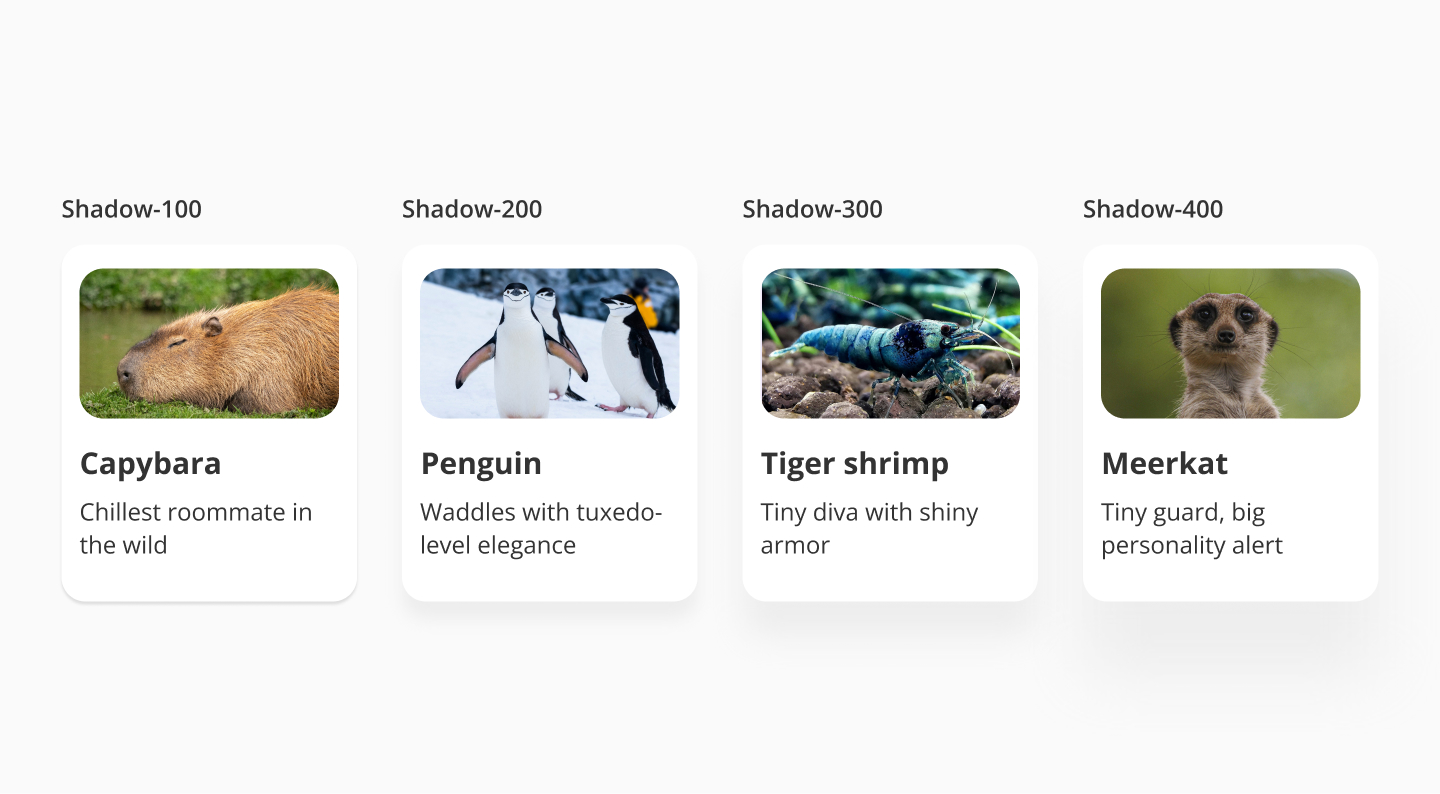
Each shadow style is designed to serve a different level of emphasis or structural role in the UI. Below are some typical use cases per shadow level:
- shadow-100: creates subtle separation from the background without drawing too much attention, such as small UI elements like buttons, input fields, or lightweight cards.
- shadow-200: signals a slight lift and draws more attention than shadow-100, especially useful for elements that temporarily appear above the rest of the UI; such as cards, dashboard, popovers, or dropdowns.
- shadow-300: used for modals, bottom sheets, or floating panels; as it clearly separates important, interactive components from the rest of the content.
- shadow-400: provides the strongest visual depth to ensure clear hierarchy and focus in the UI. A few examples where this shadow can be applied are full-screen overlays, onboarding dialogs, or focused system alerts.
- Use elevation purposefully: shadows are not decorative. Apply them to communicate visual hierarchy and component behavior.
- Don't overlay too much: avoid stacking multiple shadows or using high-intensity shadows on too many components, as this leads to visual clutter.
- Stay within the core scale: Use only the defined shadow tokens unless there's a validated need for a custom elevation.
- Avoid using shadows as borders: If you need to separate elements or define boundaries, use spacing or a border token instead.
- Consistency across themes: Our shadow tokens are designed to adapt well across themes and backgrounds. Avoid tweaking individual values unless strictly necessary.