
Contextual Menu
The Contextual menu is a powerful component that improves user experience by allowing users to navigate through page-level content or choose from a list of actions while complementing the general disposition of the main content within the interface.
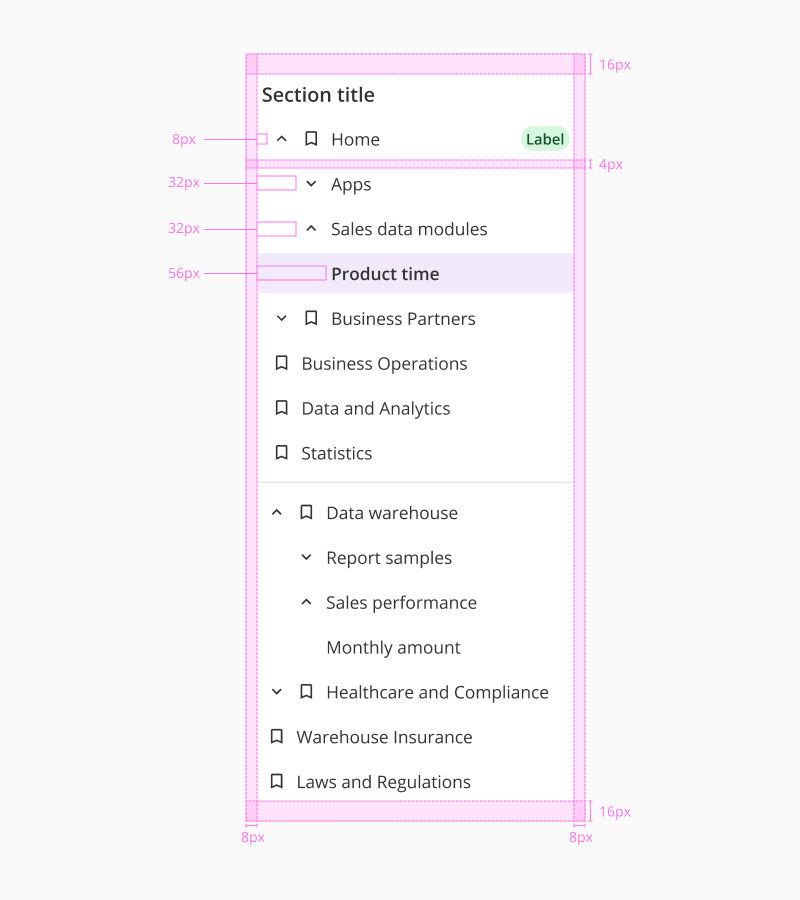
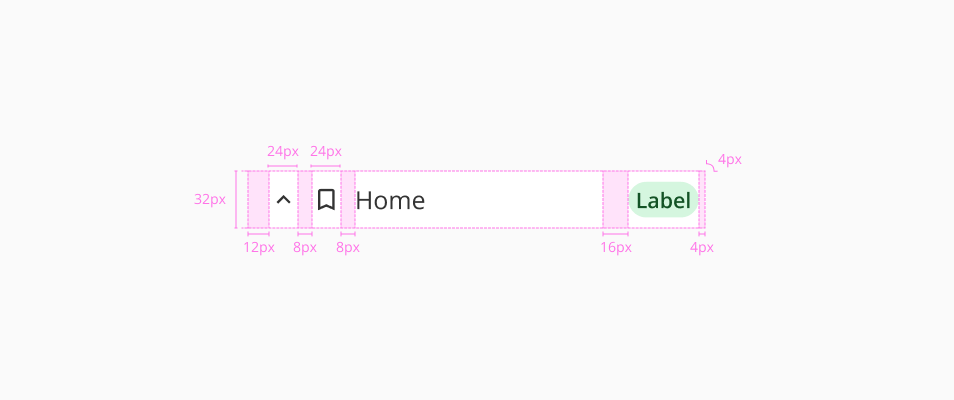
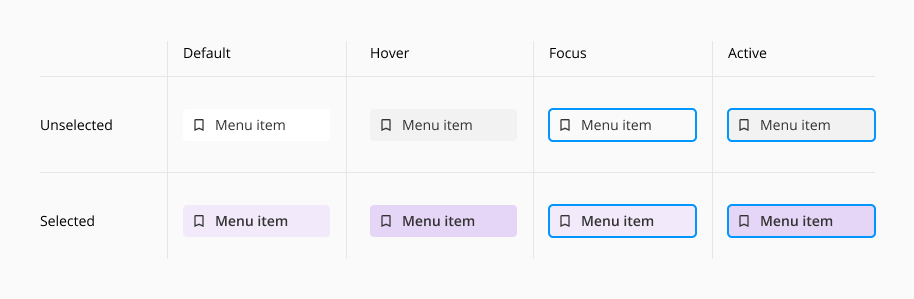
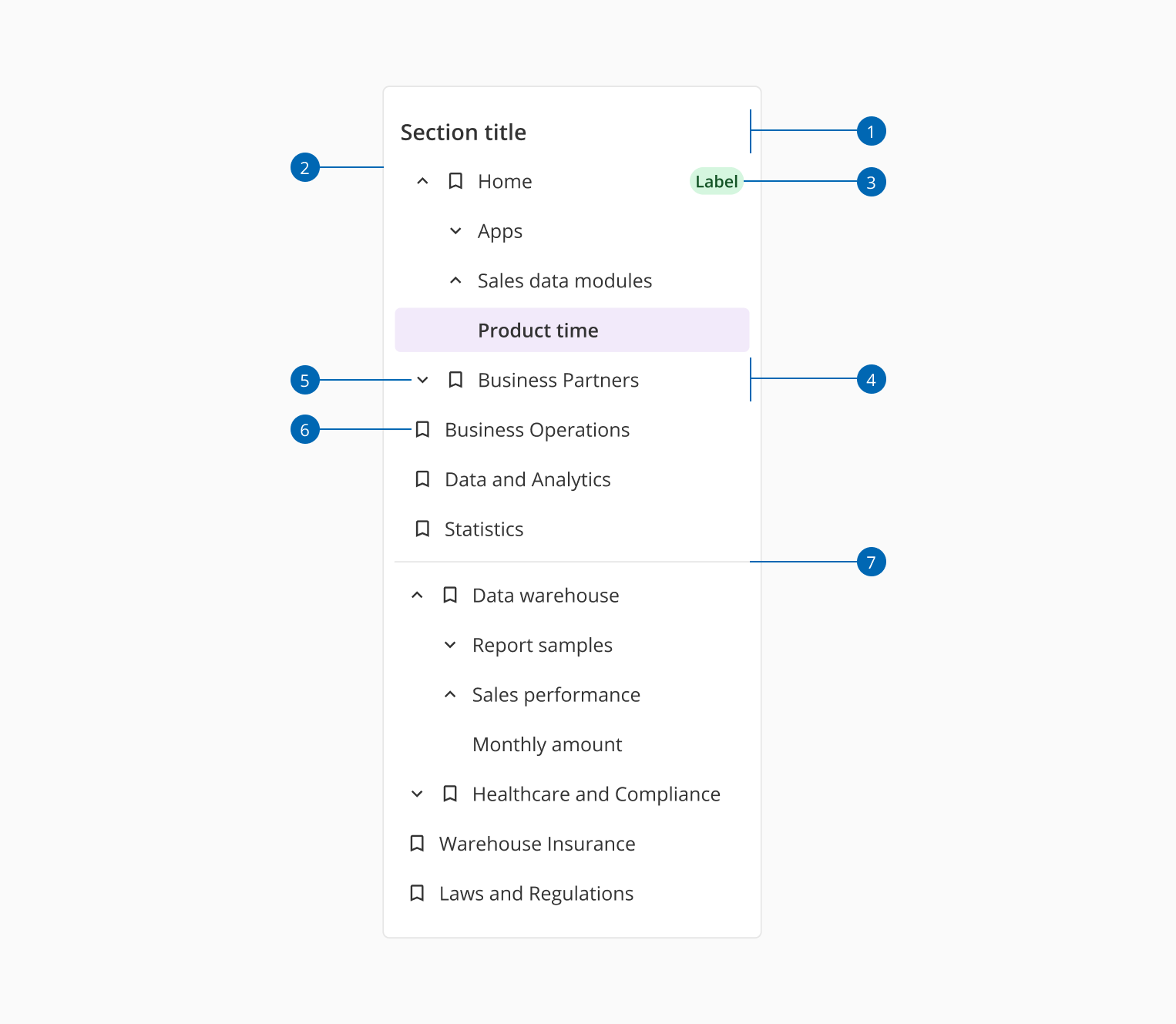
| Component token | Element | Core token | Value |
|---|---|---|---|
backgroundColor | Container | color-white | #ffffff |
borderColor | Container | color-grey-200 | #e6e6e6 |
menuItemFontColor | Menu item | color-grey-900 | #333333 |
hoverMenuItemBackgroundColor | Menu item:hover | color-grey-100 | #f2f2f2 |
activeMenuItemBackgroundColor | Menu item:active | color-grey-100 | #f2f2f2 |
selectedMenuItemBackgroundColor | Menu item selected | color-purple-100 | #f2eafa |
hoverSelectedMenuItemBackgroundColor | Menu item:hover selected | color-purple-200 | #e5d5f6 |
activeSelectedMenuItemBackgroundColor | Menu item:active selected | color-purple-200 | #e5d5f6 |
sectionTitleFontColor | Section title | color-grey-900 | #333333 |
iconColor | Icon | color-grey-900 | #333333 |
| Component token | Element | Core token | Value |
|---|---|---|---|
fontFamily | Contextual menu | font-family-sans | 'Open Sans', sans-serif |
menuItemFontSize | Menu item | font-scale-02 | 0.875rem / 14px |
menuItemFontStyle | Menu item | font-style-normal | normal |
menuItemFontWeight | Menu item | font-weight-regular | 400 |
menuItemLineHeight | Menu item | - | 24px |
selectedMenuItemFontWeight | Menu item selected | font-weight-semibold | 600 |
sectionTitleFontSize | Section title | font-scale-03 | 1rem / 16px |
sectionTitleFontStyle | Section title | font-style-normal | normal |
sectionTitleFontWeight | Section title | font-weight-semibold | 600 |
sectionTitleLineHeight | Section title | - | 24px |